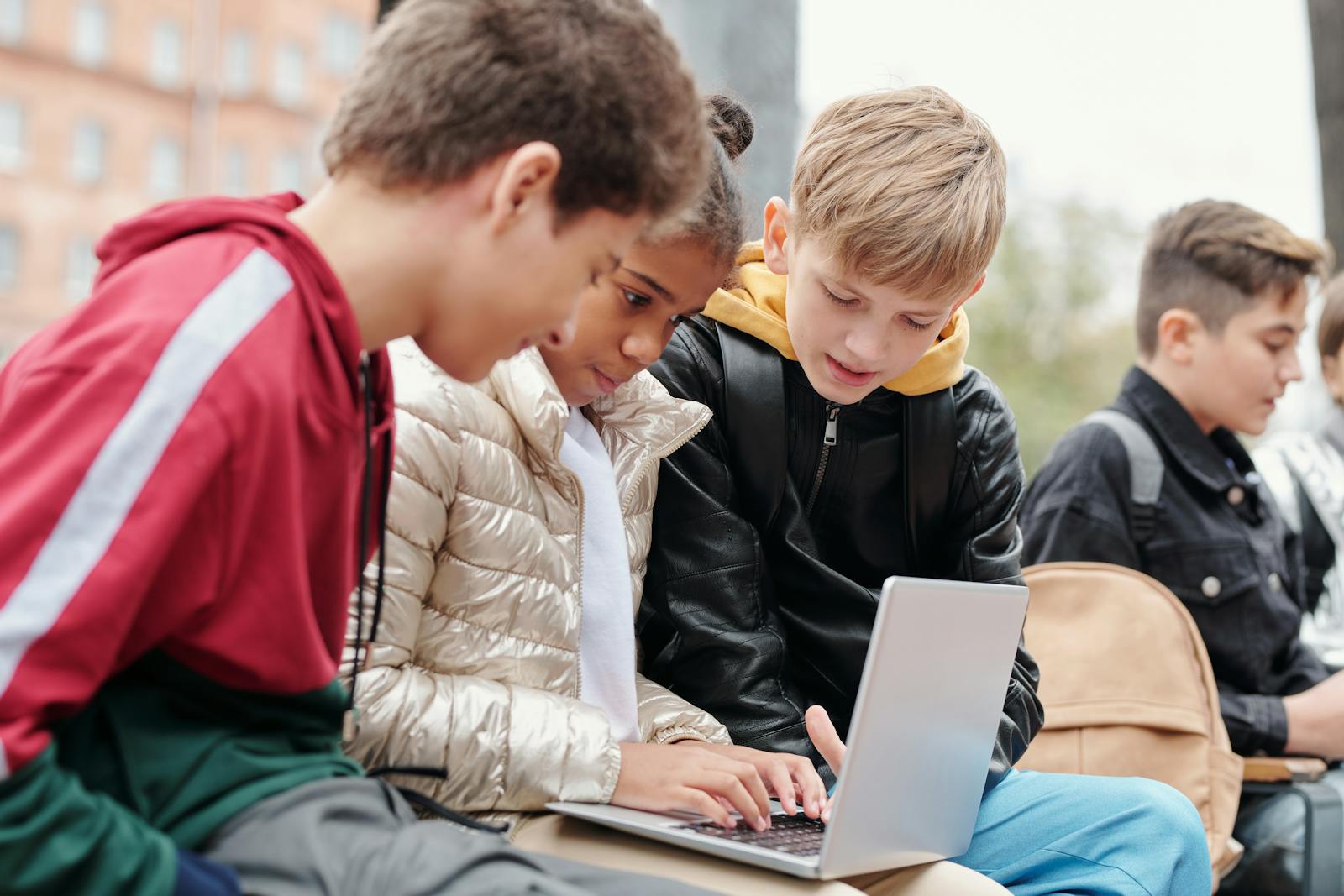
Teachers have always had a front row seat to the teenage brain, but school-issued laptops have turned that view into a live feed. From bizarre “what if” questions to searches that make adults wince, the tabs students open in class say a lot about what they are curious, anxious, and secretly obsessed about. One teacher’s viral stories about the strangest searches on student devices capture a much bigger shift in how kids learn, joke, and push boundaries in a world where every Chromebook is both a textbook and a trapdoor.
Behind the laughs, there is a serious undercurrent: those wild queries are being logged, flagged, and sometimes used to call home or even the police. The same tools that let a teacher shut down a game in the back row can also pull up a second grader’s explicit search or a high schooler’s cry for help. The result is a strange new classroom reality where curiosity, comedy, and surveillance all share the same screen.
The Teacher Who Started Talking About It Out Loud

When one middle school teacher started sharing the strangest things her students typed into their school laptops, she was not just chasing clicks, she was naming what every educator with a monitoring dashboard already knew. Kids will Google anything, from the deeply sincere to the deeply unhinged, and they will do it in the middle of a lesson on fractions. In one widely shared clip, Jan breaks down “What to Know” about the way her students treat their Chromebooks as a mix of diary, search engine, and comedy stage, even as she is trying to keep them focused somewhere between playing The Oregon Trail and actually finishing their work, a reality she highlights while talking about What to Know.
Her stories land because they feel painfully familiar to anyone who has watched a student minimize a tab a little too fast. Jan describes having to remotely close things in real time, a power that comes from the monitoring software installed on those Chromebooks, and the way kids still act shocked that an adult can see what they are doing. The humor in her rundown of searches is undercut by the fact that she is constantly toggling between teacher and digital hall monitor, a role that has become standard in classrooms that rely on one-to-one devices.
What Teachers Actually See On Their Screens
For teachers, the wild search stories start with a very specific view: a grid of student screens updating in real time. When high school teachers log into tools like GoGuardian, they see every open tab, every search box, and every attempt to sneak a video in the corner of the screen. The software lets them click into a single student’s activity, send a message, or simply zap a tab out of existence, which is how so many of those “you will not believe what my student just searched” moments get shut down before anyone else in the room notices.
That level of visibility is not just about catching kids watching Netflix in chemistry, it is also about spotting the searches that hint at something more serious. When a student types in a self-harm phrase or looks up weapons, the system can flag it for staff, turning a random query into a potential safety alert. The same grid that shows a kid Googling a meme also shows the one who is quietly asking the internet for help, and teachers are left to decide when to treat a search as a joke and when to treat it as an emergency.
From “How To Swear” To Full-On Chaos
The funniest stories tend to come from the harmless but deeply chaotic side of student curiosity. One teacher, Briana, has gone viral for walking viewers through the weird and slightly inappropriate things her own students have typed into their school devices. In one clip, she explains how a student tried to search a word that sounded similar to the F-word, apparently testing the filter to see what would happen, a moment she breaks down while talking about how One teacher, Briana, ended up closing the tab from her own screen.
Those same students will, five minutes later, type in something like “how to beat level 7” of a random game or “is my teacher allowed to take my phone,” treating the search bar as a direct line to the universe. Teachers like Briana are constantly bouncing between laughing at the creativity and reminding themselves that every one of those searches is happening on a school-owned device that can be audited. The chaos is not just in the content, it is in the whiplash between childish curiosity and the adult systems quietly logging every keystroke.
When The Weird Searches Stop Being Funny
Not every wild search is a punchline. In Harford County, a second grader managed to type a sexually explicit term into his Harford County Public School-issued laptop, and the fact that he could reach that content at all set off a wave of anger among adults. Parents in Harford County demanded to know how a child that young could get that far on a filtered device, and one parent, identified as Parents in the reporting, pressed officials on what kind of protection was really in place for kids using a Harford Cou account, a concern that surfaced after the explicit search was reported on Parents in Harford.
School leaders in the same community later defended their internet policy in a separate appearance, explaining how filters and monitoring are supposed to work on a Harford County Public School-issued laptop. In that discussion, officials referenced the original incident and tried to reassure Paren and other families that the district was tightening controls, a message that played out in a video focused on how a Harford County school responded. The shift from “kids search weird stuff” to “a second grader found explicit content” shows how quickly the tone changes when the same tools that catch silly queries also reveal serious gaps in digital safety.
The TikTok Classroom And The Middle-School Brain
Teachers are not just dealing with search bars, they are dealing with a generation that narrates everything for TikTok. In one clip labeled “Things My High School Students Said This Week,” educator Kenny Brown reads out the kind of offhand comments that would fit right in next to a chaotic search history. Viewers latch onto lines like “Put me in coach low key ate,” a phrase that shows up in the comments as people like You react to how perfectly it captures teen confidence and slang, all of it packaged in a short video at Kenny Brown.
Middle school teachers see the same energy in their students’ searches and side comments. Molly Dugan, a 26-year-old teacher from the Kansas City area, has built a following by sharing the wild things her eighth graders say, describing how their humor lives in the strange space between elementary and high school. She has said that “When I’m the first to show my human side, my students start to feel more safe to be themselves, too,” and that what they blurt out in class represents the “middle-school brain,” a perspective she shares while talking about how When she leans into their jokes. Another profile of Molly Dugan notes that her viral stories from Kansas City highlight just how thin the line is between a kid’s spoken comment and the kind of search they might type into a laptop, a connection that comes through in coverage of Molly Dugan and her classroom.
Algorithms, Alerts, And The Privacy Hangover
Behind every funny screenshot is a serious infrastructure of algorithms watching what students do. Districts now rely on systems that scan searches and documents for keywords tied to self-harm, violence, or explicit content, then send alerts to staff when something crosses a threshold. One detailed look at these tools explains how they are marketed as a way to give educators more time to intervene, while Critics raise alarms about privacy, free speech, and what happens to all that student data once it is collected, concerns that are spelled out in reporting on how Critics see the tradeoffs.
Teachers themselves sit in the middle of that debate. When they open a monitoring dashboard, they see what one account described as a wall of student screens, each one a live feed of searches, documents, and open tabs. They can message a student directly or zap the tab themselves, a level of control that has become routine in classrooms that use these tools, as described in a close look at how This is what high school teachers now see. The result is a constant tension: the same system that lets a teacher shut down a game also means a teenager’s late-night essay draft or awkward search might be flagged and archived far beyond the classroom.
When Searches Turn Into Dangerous Trends
Some of the most alarming student activity on school devices is not about words at all, it is about what kids are watching and copying. In one widely shared warning, school leaders described a “dangerous social media challenge” where online videos were teaching students how to send their school-issued laptops up in a ball of flames. The clips spread fast enough that districts felt compelled to send messages home and record public alerts about how quickly a device could be destroyed “well in a matter of seconds,” a phrase that surfaced in coverage of how dangerous social media trends were targeting Chromebooks.
Other reports have focused on a so-called Chromebook challenge, where students damage or destroy their school devices for views. In New Jersey, one student faced charges after allegedly taking part in that trend, with officials describing how the Chromebook challenge involved intentionally harming the laptops that districts had handed out for learning, a case that was detailed in a segment about a Chromebook incident. In another region, school leaders in Northern California warned families about a Tik Tok challenge that encouraged students to tamper with their devices, noting that at least two cases had already surfaced in local schools, a warning that was shared in a video about a Tik Tok trend in Northern California. A separate report showed school leaders sounding the alarm as videos surfaced of students destroying their school-issued laptops in yet another Tik Tok trend, a pattern that was captured in coverage of students destroying Chromebooks.
Teachers Pushing Back On The Laptop Life
Not every teacher is willing to live inside the monitoring dashboard forever. One high school chemistry teacher eventually told her students to put their Chromebooks away for good during class, after realizing that the devices were causing more harm than good. She described how, After a few years of watching students sneak onto Netflix during independent work and trying to convince her that they were using the laptops for assignments, she decided that the distraction was too much, a turning point that was described in a piece about how After she changed course.
Her decision reflects a broader fatigue among educators who feel like they are spending more time policing tabs than teaching content. Some still rely on monitoring tools and accept that part of the job is closing games and catching off-task searches. Others are experimenting with tech-free blocks of time, where students have to pick up a notebook instead of a keyboard. The wild search stories that go viral online are often the tipping point, the moment a teacher realizes that if they have to close one more Netflix tab, they might as well redesign the lesson around something that does not require a login.
What Students Think Is Private (And What Is Not)
Students, for their part, are slowly realizing that their school accounts follow them more than they might like. One widely read explanation of how these systems work notes that if a laptop is logged into a school account, the institution may have monitoring software installed that can track internet activity. It adds that, However, the exact level of visibility depends on how the school has configured its tools, a caveat that shows up in guidance about how However schools can see what students search.
More from Decluttering Mom: